Best VPN for the Philippines in 2026
NordVPN is our top Philippines VPN for its local virtual endpoint, practical security tools, and strong all-round value.
 By Erwin Caniba · Updated July 22, 2026
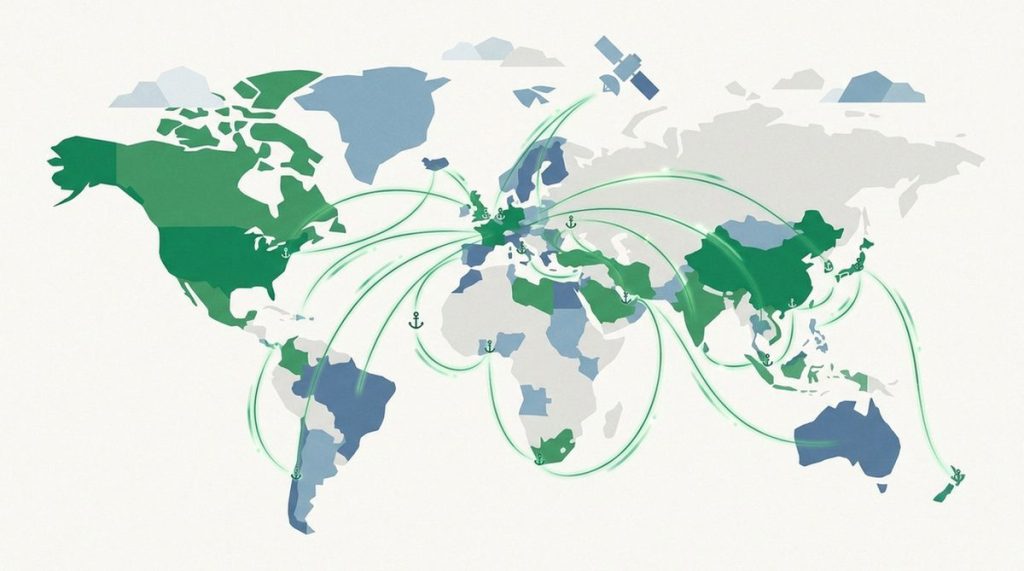
The best VPN for the Philippines is NordVPN. It provides a Philippines virtual server for a local IP address, covers 10 devices, and combines a straightforward app with a kill switch. That makes it a practical fit whether you are an OFW or expatriate trying to use home services abroad, or you want more privacy on airport, hotel, and café Wi-Fi inside the country.
ExpressVPN is the easier alternative if polished apps matter most. Surfshark is the value choice for a family or household because one subscription allows unlimited simultaneous connections. All 3 list a Philippines location, but none can guarantee access to a particular bank, broadcaster, or streaming catalog.
What matters for a Philippines VPN
A Philippines endpoint matters when you are outside the country and a legitimate home service expects a local IP address. NordVPN identifies its Philippines location as virtual, while ExpressVPN and Surfshark list Philippines locations in their current networks. A virtual location can still assign a Philippines IP; it does not mean the hardware is physically in the country.
If you are already in the Philippines, the closest location is not automatically the fastest. Your ISP’s routing, the server load, and the destination service all affect the result. Philippines-specific speed reports published in 2026 use different connections and test methods, so we did not turn one provider’s Mbps result into a universal speed claim. Test a Philippines server and a nearby location, then keep whichever produces the better latency and stability on your connection.
Public Wi-Fi is the second major use case. In January 2026, the Philippines National Privacy Commission advised people to avoid sensitive accounts on free Wi-Fi and to use a VPN when they must connect. A VPN encrypts traffic between your device and the VPN server, but it cannot repair a compromised phone, stop phishing, or make a weak password safe.
For a broader view of how these services compare outside this specific use case, see our guide to the best VPN services.
Best Philippines VPNs compared
Prices are US-dollar snapshots verified on July 16, 2026. Taxes, promotions, currencies, and app-store billing can change the total. Check both the first charge and renewal wording at checkout.
| Provider | Score | Philippines location | Current long-plan offer | Renewal | Devices |
|---|---|---|---|---|---|
| NordVPN | 9.7/10 | Virtual Philippines endpoint | $3.49/mo; $94.23 for first 27 months | $139.08/year | 10 |
| ExpressVPN | 9.5/10 | Philippines location | From $2.49/mo on 2-year Basic | Rate displayed at checkout | 10 on Basic |
| Surfshark | 9.3/10 | Philippines servers | $2.49/mo; $67.23 for first 27 months | $79/year for Starter | Unlimited |
Our top 3 VPNs for the Philippines

1. NordVPN: best Philippines VPN overall
NordVPN earns first place because it covers both sides of this use case without a major compromise. Its Philippines page explicitly describes the location as virtual, so an OFW or traveler can request a Philippines IP without being misled about where the hardware sits. Inside the country, the app can also choose another nearby route if the local virtual location is not the fastest option for your ISP.
The Basic plan covers 10 simultaneous devices and includes a 30-day money-back guarantee. Its verified offer is $94.23 for the first 27 months, equivalent to $3.49 per month. The real drawback is the renewal: the same plan currently renews at $139.08 per year, so the attractive monthly figure is not the long-term annual cost.
NordVPN and Surfshark belong to the same corporate group following the Nord Security–Surfshark merger, although the products operate separately. Read our full NordVPN review for the wider privacy and app assessment.
2. ExpressVPN: best for the simplest setup
ExpressVPN is the easiest recommendation for someone who wants to install an app, choose Philippines, and connect without tuning many settings. Its official location page lists the Philippines, and the Basic tier permits 10 simultaneous connections. The provider also documents an internet kill switch across Windows, macOS, Linux, routers, Android, and iOS.
The current 2-year Basic promotion starts at $2.49 per month, and purchases made directly through ExpressVPN have a 30-day money-back guarantee. ExpressVPN does not publish one permanent renewal figure on its support page; it says the initial and renewal prices appear at checkout, and that the renewal rate may change with advance notice. Save that checkout screen before paying.
The ownership tradeoff deserves to be visible: ExpressVPN has been part of Kape Technologies since 2021. That does not automatically make the service unsuitable, but readers who prefer an independent provider may care. See our full ExpressVPN review before committing.
3. Surfshark: best value for many devices
Surfshark is the sensible choice when one account must cover phones, laptops, tablets, and TVs across a household. It lists Philippines servers and allows unlimited simultaneous connections, so there is no device-slot calculation before a trip. Its kill switch can block internet access if the tunnel drops.
The verified Starter offer is $67.23 for the first 27 months, or $2.49 per month, with a 30-day money-back guarantee. Starter currently renews at $79 per year. That is still lower than NordVPN’s listed annual renewal, but it is much higher than the introductory monthly rate suggests.
Surfshark’s main limitation here is not device coverage; it is that local access still depends on the destination service. A Philippines IP does not guarantee a stream or banking login, and Surfshark shares a corporate group with NordVPN. Our full Surfshark review covers the broader tradeoffs.
How to choose for travel, home content, and public Wi-Fi

Start with the job you actually need the VPN to do:
- For home services while abroad: Choose a provider with a Philippines location. Confirm that your account is entitled to use the service while traveling; the VPN changes the visible IP location, not your subscription rights.
- For privacy inside the Philippines: Test the automatic location, Philippines, and a nearby server. Pick the route with the most stable connection rather than assuming the largest advertised network must be fastest.
- For public Wi-Fi: Enable the kill switch before opening email, work tools, or financial accounts. Prefer mobile data for highly sensitive activity when it is available.
- For a large household: Count simultaneous connections, not installations. Surfshark removes the cap; NordVPN and ExpressVPN Basic each allow 10 active devices.
- For a long subscription: Compare the first-term total with the renewal, then set a reminder before the renewal date. A low promotional monthly equivalent can hide a much higher second charge.
If home streaming is the priority, our VPN for streaming guide explains the platform-specific limits. Netflix, for example, says VPN use can reduce the titles available for your region. A VPN is a privacy tool, not a promise that every catalog will open.
Set up a Philippines VPN in 5 steps
- Choose a provider and buy through its official checkout page. Record the first-term total, renewal price, and refund deadline.
- Install the official app on your phone and laptop before travel. On Android, our Android VPN guide covers app permissions and mobile setup in more detail.
- Turn on the kill switch, then connect to the Philippines when you need a local IP address.
- For ordinary privacy inside the country, compare the recommended automatic server with Philippines and one nearby location. Keep the route that works best on your actual connection.
- Open the service you need and check that it works within its terms. If it rejects the VPN, do not repeatedly switch locations for a sensitive bank or government account; disconnect and use the service’s approved access or support route.
Our pick
NordVPN is the best Philippines VPN for most people. Its documented Philippines virtual endpoint is useful for accessing legitimate home services abroad, while 10-device coverage and a kill switch make it practical for daily travel. ExpressVPN is the simpler alternative, and Surfshark offers the best device value. Just budget for NordVPN’s $139.08 annual renewal rather than judging it by the introductory monthly equivalent alone.
FAQ
Can I get a Philippines IP address with a VPN?
Yes. NordVPN, ExpressVPN, and Surfshark all list a Philippines location. Select Philippines in the app and confirm the new IP before opening the service you need. NordVPN states that its Philippines location is virtual, which means it can issue a local IP even though the underlying hardware is elsewhere.
Is it legal to use a VPN in the Philippines?
Our July 2026 review found no general prohibition on consumer VPN use in the Philippines. However, the Cybercrime Prevention Act and other laws still apply to what you do through the connection. A VPN does not make unlawful activity legal, and this is general information rather than legal advice.
Will a VPN let an OFW watch Filipino streaming services abroad?
A Philippines IP can help a service recognize the home region, but access is not guaranteed. The provider may block known VPN addresses, limit travel use, require a Philippines account, or offer different rights by location. Use only services and content your subscription permits.
Which Philippines VPN is best for a family?
Surfshark is the easiest family choice because it allows unlimited simultaneous connections. NordVPN and ExpressVPN Basic each cover 10 devices, which is enough for many households but still requires a count. Whichever you choose, install only official apps and do not share the account outside the provider’s terms.
Erwin Caniba